Hands-On Apple (Audio) cover art

Hands-On Apple (Audio)

Hands-On Apple (Audio)

By: TWiT
Listen for free

Hands-On Apple explores and explains the Mac — and beyond! From clever Terminal commands to little-known iOS settings, Mikah Sargent shares all the best tips and tricks for your Mac, iPad, iPhone, and Apple Watch. You'll get all the details on Apple's apps and the best apps in the App Store, you'll learn about awesome accessories for your Apple devices, and you'll explore updates to Apple's operating systems — including iOS, macOS, iPadOS, and watchOS. Hands-On Apple is your one-stop shop for Apple know-how. You can join Club TWiT for $10 per month and get ad-free audio and video feeds for all our shows plus everything else the club offers...or get just this podcast ad-free for $5 per month. New episodes every Thursday.This work is licensed under a Creative Commons License - Attribution-NonCommercial-NoDerivatives 4.0 International - http://creativecommons.org/licenses/by-nc-nd/4.0/
Episodes
  • HOA 237: StandBy Mode
    Jun 25 2026

    Your iPhone can quietly transform into a customizable bedside clock, calendar, and smart photo frame with just a simple orientation tweak. Discover how StandBy mode reveals features you probably didn't know your device had.

    • StandBy requirements: charging, landscape mode, and settings toggle
    • Always-on display boosts StandBy, but older iPhones work too
    • Configure StandBy's display options, night mode, and motion to wake
    • Explore StandBy's three main views: widgets, photos, clocks
    • Customizing widget stacks, adding photos, and picking clock styles
    • Now Playing and live activity controls integrate with StandBy
    • Night mode tips for lower brightness and red-tinted display
    • MagSafe enables location-based StandBy view preferences
    • StandBy integrates with Sleep Focus for smarter nighttime use

    Host: Mikah Sargent

    Download or subscribe to Hands-On Apple at https://twit.tv/shows/hands-on-apple

    Want access to the ad-free audio and video and exclusive features? Become a member of Club TWiT today! https://twit.tv/clubtwit

    Club TWiT members can discuss this episode and leave feedback in the Club TWiT Discord.

    Sponsor:

    • threatlocker.com/twit
    Show More Show Less
    14 mins
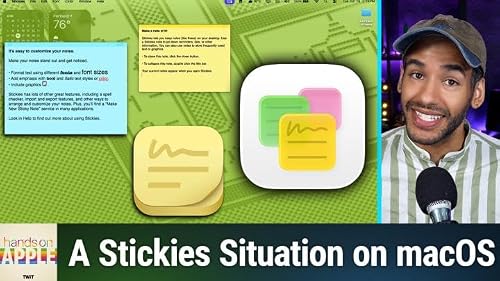
  • HOA 236: macOS Stickies
    Jun 18 2026

    Are you overlooking a classic built into every Mac? Mikah Sargent challenges you to give Stickies a week and find out if it deserves a permanent spot on your desktop.

    • Fast, frictionless note taking without accounts or setup
    • Formatting features: fonts, colors, graphics, and text enhancements
    • Color-coded Stickies for easy organization and quick reference
    • Advanced options: floating notes, translucency, keyboard shortcuts
    • Stickies' limitations: local-only, no device syncing or security features

    Host: Mikah Sargent

    Download or subscribe to Hands-On Apple at https://twit.tv/shows/hands-on-apple

    Want access to the ad-free audio and video and exclusive features? Become a member of Club TWiT today! https://twit.tv/clubtwit

    Club TWiT members can discuss this episode and leave feedback in the Club TWiT Discord.

    Sponsor:

    • Melissa.com/twit
    Show More Show Less
    12 mins
  • HOA 235: Translate App
    Jun 11 2026

    Your iPhone has a powerful translation toolkit built right in, ready to tackle menus, emails, and street signs (in over 20 languages) without any extra apps or subscriptions. Discover how to get the most out of features you might not even know exist, from real-time conversation mode to camera translations.

    • Supported languages and translation options overview
    • Translating and pronouncing text, saving phrases for quick access
    • Utilizing conversation mode for real-time bilingual communication
    • Switching between side-by-side and face-to-face translation views
    • Activating auto-translate and automatic language detection features
    • Live camera translation for menus, signs, and printed text
    • Translating photos and system-wide text using the context menu
    • Translation capabilities in Safari for web pages
    • Downloading offline language packs for travel or privacy

    Host: Mikah Sargent

    Download or subscribe to Hands-On Apple at https://twit.tv/shows/hands-on-apple

    Want access to the ad-free audio and video and exclusive features? Become a member of Club TWiT today! https://twit.tv/clubtwit

    Club TWiT members can discuss this episode and leave feedback in the Club TWiT Discord.

    Show More Show Less
    16 mins
adbl_web_anon_alc_button_suppression_t1
No reviews yet